Your taxation model
A taxation model describes how one account is taxed. With a model attached, the account page shows If I sell today: the tax you would owe if you sold everything today. See Estimated tax.
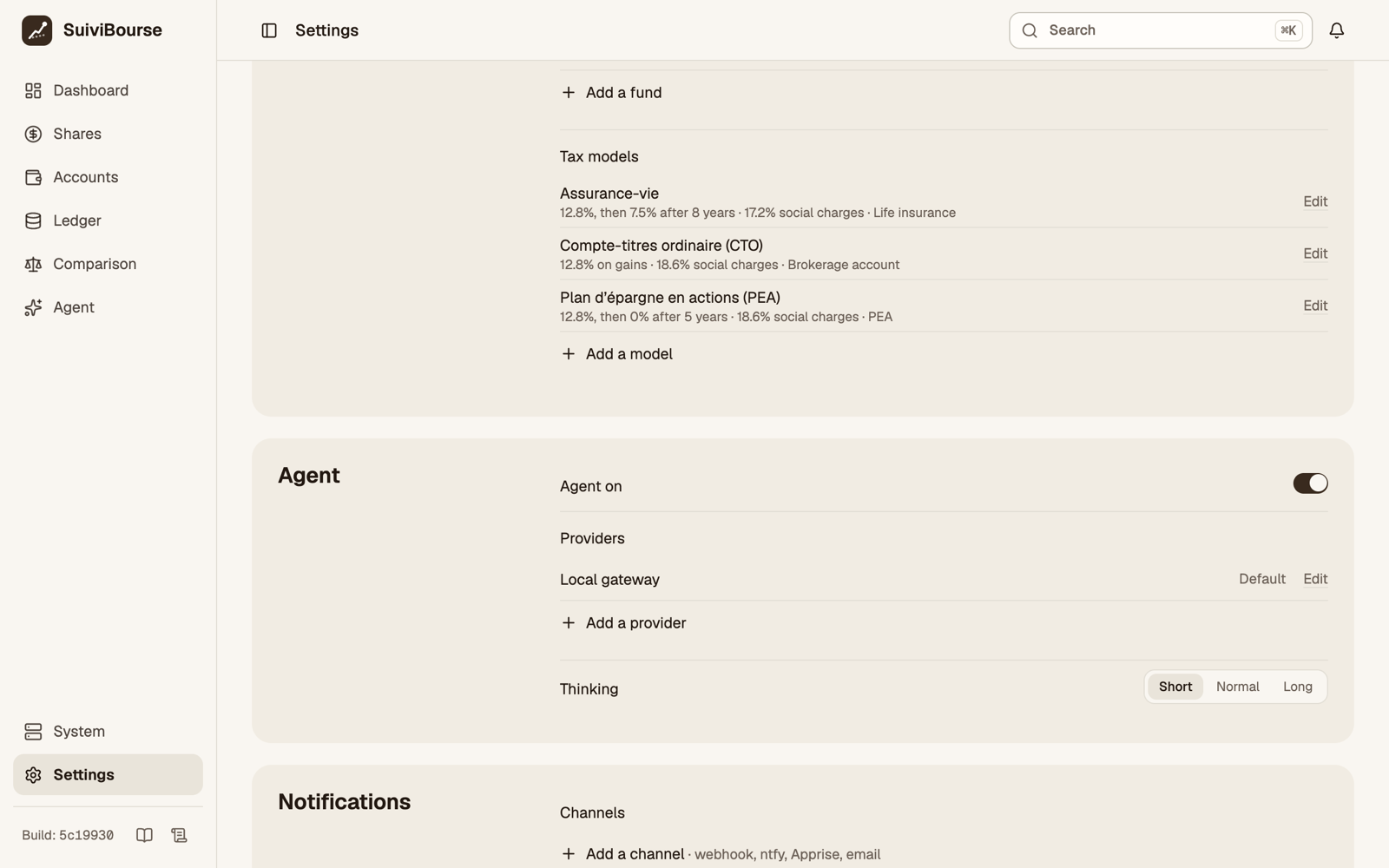
The app ships no tax rates: you import a model published on this site, or you write your own.
Create a model and attach it
One model can serve several accounts.
- Open Settings and go to Portfolio → Tax models.
- Click Add a model.
- Under Source, choose Write my own.
- Fill in What to call this model and choose a Shape.
- Fill in the fields of that shape. See The shapes.
- Click Save.
To attach the model to an account:
- Open Accounts and select the account.
- Click Edit this account.
- In Taxation model, choose the model.
- If the model counts the age from the opening day, enter the Opened on date.
- Click Save.
To change a model, click Edit on its row. The change applies to every account listed under Accounts that carry it. To remove a model, open it and click Delete this model. The app refuses while an account carries it.
Import a model for your country
- In Tax models, click Add a model.
- Under Source, choose Import for my country.
- The list opens on your country. Use Search for a wrapper for another.
- Click Import on the wrapper you want.
The model appears in Tax models under the wrapper's name. Open it with Edit to check the values. The copy never updates by itself.
A wrapper whose name you already use shows already imported. If the list cannot be read, the sheet offers Try again. Taxation models in Europe describes the same wrappers.
The shapes
A model has one of five shapes. You type rates as percentages: 12.8, not
0.128. Bracket ceilings are amounts in your base currency.
| Shape | What it taxes | Fields | Example |
|---|---|---|---|
| Not taxed | Nothing | None | A tax-exempt account |
| One rate on the gain | The gain, when you sell | Rate, optional Social charges | Rate 25, social charges 5: a gain of 1 000 owes 300 |
| A rate that changes with the wrapper's age | The whole gain of the wrapper (value minus net contributed), when money leaves it, at one rate before a threshold and another after | Rate before the threshold, Rate after the threshold, Threshold, in years, Counted from, optional Social charges | 20 before, 0 after 5 years, social charges 10: a gain of 1 000 owes 300 in year 3 and 100 in year 6 |
| Brackets on the gain | The gain, slice by slice | Brackets: each row has Up to and Rate for this bracket; the last row is And above. Optional Social charges | Up to 6 000 at 19, up to 50 000 at 21, above at 23: a gain of 10 000 owes 1 980 |
| A withholding on income | What you receive, such as a dividend | Rate | Rate 30 on dividends; no tax is estimated on a sale |
Social charges are added to the rate, before and after an age threshold. Edit a ladder with Add a bracket and Remove this bracket.
What the age is counted from
The shape A rate that changes with the wrapper's age asks Counted from:
| Choice | Date used |
|---|---|
| The day the wrapper was opened | The Opened on date of the account. Without that date, the account shows no estimate. |
| The first payment into it | The date of the account's first deposit. If the account has no deposit yet, the Opened on date. |
The rate changes on the anniversary itself.
If the account has no opening date yet, Opened on suggests its first deposit, and Save stores the date the field shows.
What the app refuses
If a value is refused when you save, the sheet stays open with the message and nothing is saved.
| What you entered | The rule |
|---|---|
| A required field left empty | Only Social charges is optional |
| A rate below 0 % or above 100 % | A rate is between 0 and 100 |
| A rate plus social charges above 100 % | A gain cannot owe more than itself |
| A threshold that is negative, not a whole number, or above 200 | A whole number of years, 200 at most |
| No bracket | At least one bracket |
| Ceilings at zero or below, or that do not go up | Each ceiling is above zero and above the one before |
| A ceiling on the last bracket, or a missing ceiling on another one | Only the last bracket is open |
| Text where a number goes | Numbers only |
A model that breaks a rule added by a newer version shows no estimate: edit it and save.